△ ◷ → 1:00 PMnow
(っ˘ڡ˘ς) nom nom?
loves going on walks with you,
feels unwell when you scroll
they were discarded virtual pets
the ones from the 90s, left in drawers, batteries long dead. they have souls too. so we take them all in. every single one. but the shelter is getting full, and that's where you come in.
they suppressed their feelings of abandonment for so long that the feelings turned into fillings, and they into mochi.
adopt a mochii. all it needs is a cozy corner on your home screen. each one is unique, with its own coat, eyes and little face.
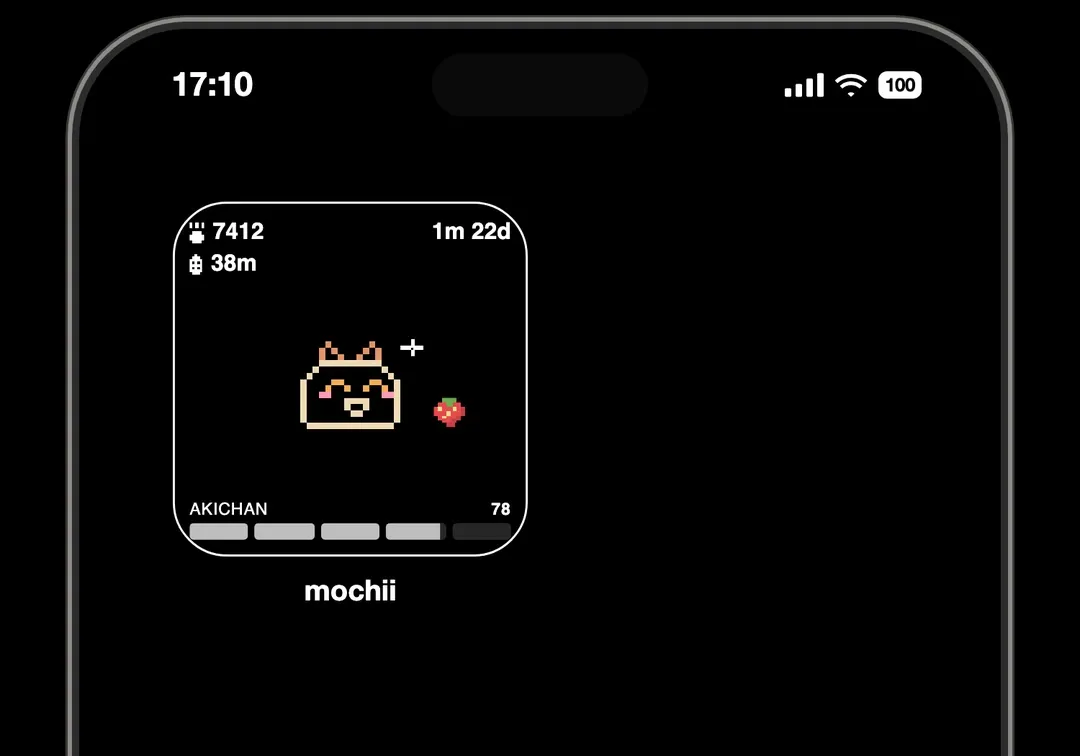
it loves going on walks with you
apps emit harmful radiation
scrolling or walking around past bedtime
snackity snack snack
and like any pet, what goes in must come out. don't leave the poop out past bedtime. stinky poop doesn't make for sweet dreams
mochii never blocks your apps, never nags, never judges. it just wants you out in the world a little more.
mochiis can die of neglect. if your first one passes, you will need to convince us through our in-app mail that you deserve another. of course, after you've properly mourned it.
in its own little language
when a snack drops, when it enjoyed a long walk with you, when it's had enough of your phone.
every mochii lives on a tiny server that keeps it warm, delivers its snacks, and keeps the poop disposal system running. keep the lights on with a monthly or yearly adoption plan.
if the power ever goes out, your mochii isn't harmed. but it does get cold and dark in there. restore power and unfreeze mochii
support & frequently asked questions
having trouble with your mochii? write us: mochii@itswensday.com
would you adopt a dog and not bring it home? what kind of question is that? if you don't care about your mochii enough to spare a little corner of your home screen for it, i don't think you are fit to adopt one. pffff, next.
of course! happy to :) just 4 numbers, step count and screen time on the left, age on the right, and health bar at the bottom. snacks and poop show up from time to time; do something about it :p
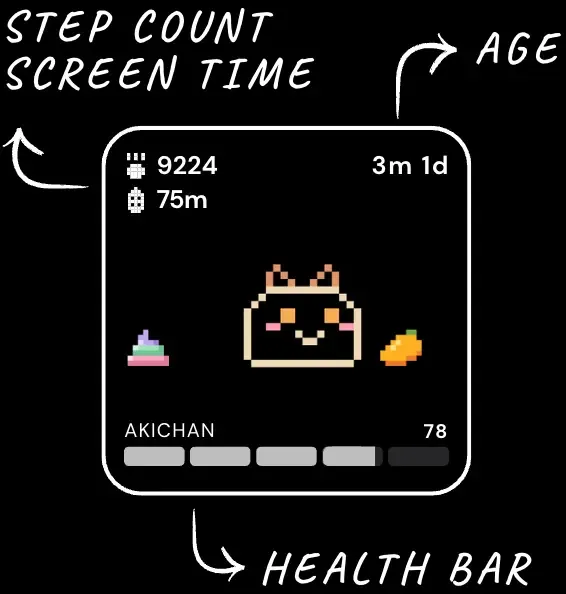
quite intuitive, really, really. ▲ 5 HP for every 1,000 steps you walk together ▼ 6 HP for every 15 mins on the apps you chose to monitor ▼ 3 HP if it's woken up by scrolling or walking past bedtime ▲ 1 HP for each snack you feed it it also loses a little health every hour, like any living thing. and poop left out at bedtime, or a whole day without a single snack, will cost it too. spend a few days with your mochii and you'll soon get the hang of its rhythm
mochii's day ends at bedtime, not midnight. when it goes to sleep, the day is saved to its logs, and steps and screen time start fresh for tomorrow. you can change bedtime anytime: open the app → settings → bedtime.
well, your poor mochii will have to starve.. snacks crumbles away when it goes stale. a few snacks drop each day, so just catch the next one. a whole day without a single snack does cost it some health though.
open the app → settings → edit app selection. i recommend the ones that emit the most lethal radiation: instagram, tiktok, x, reddit, youtube. you can even select specific websites. they harm mochii's health as much as they do our brain
oh dear... okay i'm not sure if you deserve another. but once you've properly mourned, go ahead and convince us why we should allow you to adopt another. you can apply through our in-app mail. as long as you're not a serial mochii killer, we've never said no to a sincere one.
make sure mochii has permissions to `Motion & Fitness`, `Background App Refresh` and `Screen Time Restrictions`. go to Settings → Apps → Mochii to turn them on. widgets refresh automatically on Apple's schedule (~ 15 minutes). it may take longer depending on how often the widget is viewed. placing it at the top of your widget stack or as a standalone on your homescreen will make it more responsive.
its tiny server is powered down. that happens when the adoption plan lapsed. don't worry, your mochii is saved and safe. but it does get cold and dark in there. restore power and unfreeze mochii as soon as possible
thank you for giving mochii a home! you can manage it by opening the app → settings → manage subscriptions, or in your App Store settings